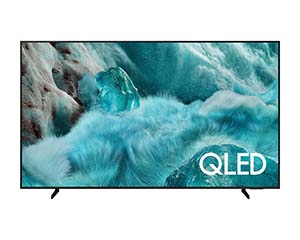
Save energy with smart analytics
AI Energy Mode
Easily reduce your power consumption by activating AI Energy Mode. Your TV automatically adjusts its brightness based on room lighting and your usage habits. It even makes subtle adjustments to brightness in various scenes for further energy savings.
* Energy saving rate may vary by region, model, size, viewing conditions, and content type.
* Some AI Energy Mode functions are enabled by default in products shipped in ECO Mode. Therefore, energy saving levels seen when AI Energy Mode is turned on may appear lower compared to Standard Mode.
* AI Energy Mode does not work with Game Mode.
* Energy savings are based on internal test results and may vary depending on the content displayed and ambient brightness levels.
Control your TV from your phone
Quick Remote
Access key Samsung Tizen TV features such as media, features, Ambient Mode, and menus via your mobile device. You can also use Quick Remote as your TV remote to change channels, adjust volume, and do much more from your phone.
* Instant notifications for mobile remote controls for TVs are supported on Android OS 10.0 and above (on mobile) and 2020 Samsung TVs and later models (on TV); also, the mobile device must be near the TV.
* Samsung Smart TV feature access is available on 2024 Samsung TVs and later models (on TV) and Android OS 10.0 and above or iOS 15.0 and above (on mobile).
Turn your TV into a karaoke stage
Karaoke
Enjoy endless fun with family and friends thanks to the karaoke feature in Samsung Daily+. You can even use your phone as a microphone. No separate equipment is needed, your singing system is already ready.
* For use on a mobile device, the SmartThings app must be installed, and the phone must be connected to the same Wi-Fi network as the TV.
* Microphones on mobile devices are supported only on Galaxy S23 or later and iPhone 15 and later.
* To use the Karaoke function, you must download the Karaoke app via Tizen.
* This service requires an additional paid subscription after 6 months of free use. (Users can access 5 songs per day without a subscription.)
A stylish design for your living space
Slim Look
This slim design blends with your decorations, adding elegance to the overall appearance.
Position your TV more freely
Adjustable Stand
With the Adjustable Stand, you can easily adjust the spatial position of the TV as you wish, optimizing your viewing experience. It is ideal for placing a Soundbar under the TV.
* Adjustment is not possible on center stands.
* Width adjustment is only available on Q7F 55-inch and larger models.
Charge using light
SolarCell Remote
Our SolarCell Remote can be charged with light thanks to the solar panel on its back, without the need for disposable batteries. Additionally, with smart features like a built-in microphone and Voice Assistant, this remote offers an innovative design in many ways.
* To charge the remote control with solar energy, place the TV remote control with the solar panels facing up. Leave it in your living room with the lights on or near a window where it can collect natural solar energy.
* If the battery runs out, you can charge the remote control using a USB-C cable. To check the remaining battery level of the remote control, refer to the TV Menu (Settings > General & Privacy > Power & Energy Saving > Remote Control Battery Level).